The same till, not a cut-down app
The Android app runs the very same till as the Windows, Mac and Raspberry Pi versions: the sale screen, catalogue, stock, receipts and reports.
 Universal Till
Turn an Android tablet into a full till. The whole till runs on the tablet itself, so a sale completes with no internet at all. Free and open source, with no monthly fee for the core.
Android 7.0 or newer · installed from our website, not Google Play yet
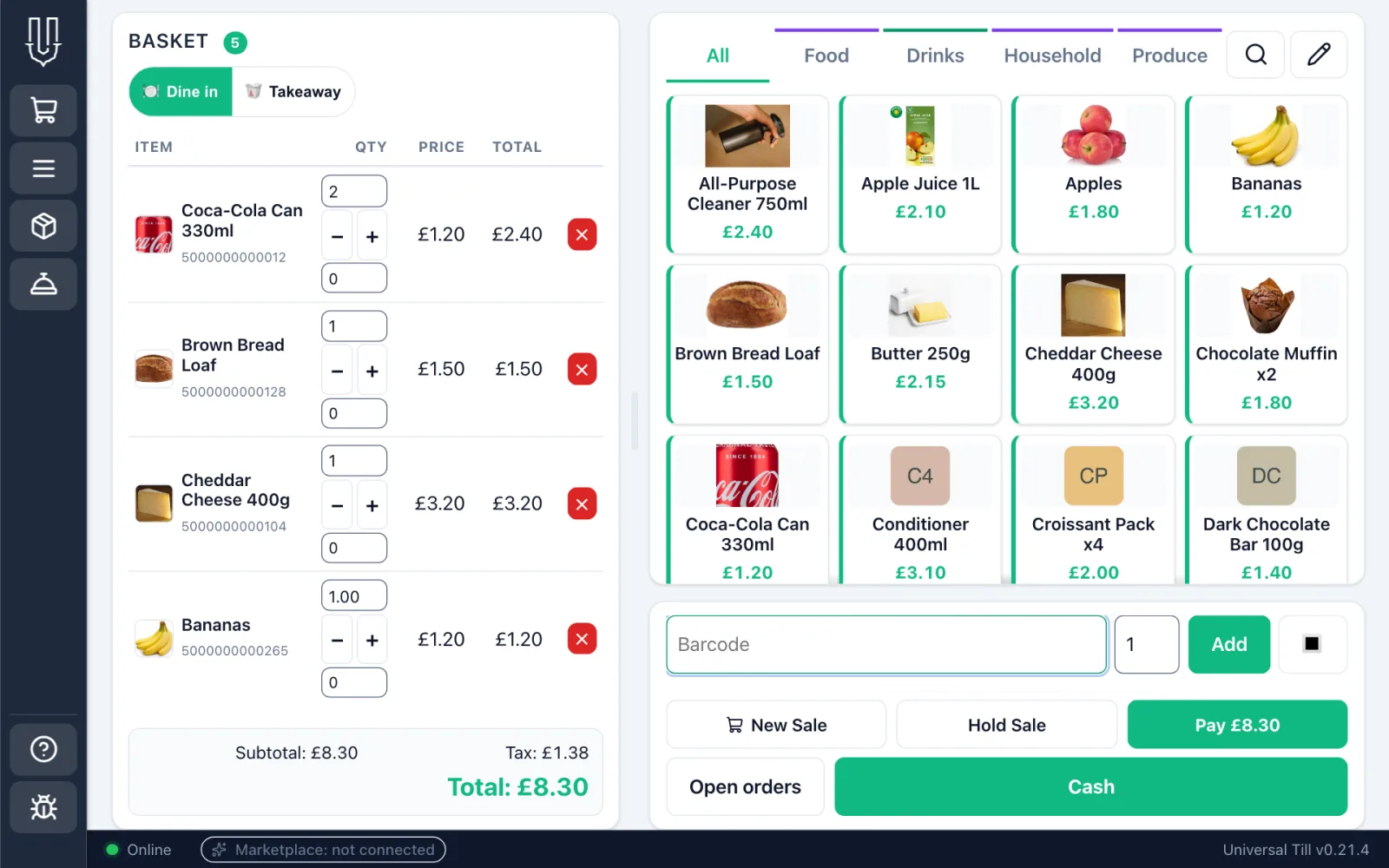
The Android app runs the very same till as the Windows, Mac and Raspberry Pi versions: the sale screen, catalogue, stock, receipts and reports.
Everything is stored on the tablet. If the Wi-Fi drops, the status bar says so and you keep ringing up sales.
Pair a Bluetooth barcode scanner or scale from inside the till. Android asks you once to allow Bluetooth.
An Android tablet can be your main till or join another till on your shop's network, and sales sync between them.
Set a tablet to self-order and customers order on it themselves. The till asks Android to pin the screen, which blocks Home and Recents while it stays pinned.
When a new version is out, tap the update chip, then confirm in Android's own installer. The first time, Android also asks you to allow the install.
Not to sell: a sale completes on the tablet with no connection at all. Wi-Fi is needed to work with other tills on your shop's network and to download updates, and a card machine needs whatever connection its own provider requires.
Yes. Every version runs the same till, so one shop can mix them: the Android tablet can be the main till, or join a main till on another platform over your shop's network.
Not yet. Download the app from our download page. Android warns you the first time because the app comes from outside Google Play; that is expected.
Android 7.0 or newer. There is a 64-bit version for most tablets, one for older 32-bit tablets, and a universal one if you're not sure.