
此主题暂无中文版本,你正在阅读英文版。
Alerts & notifications
The till watches your business and warns you early: items about to run out, days of stock left, order suggestions, and unusually high or low sales days.
How to use it
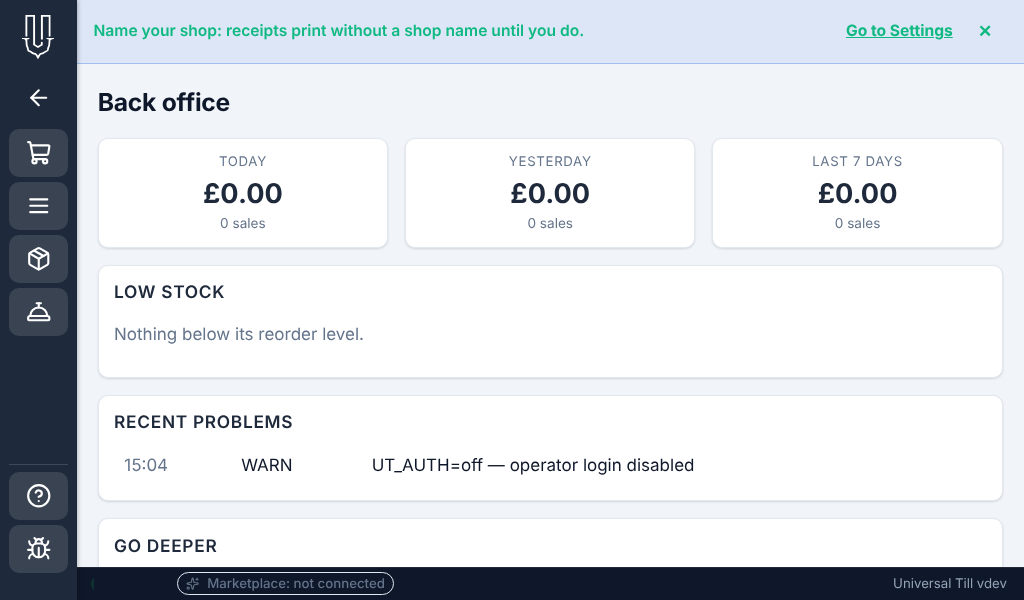
- The Back office screen is the daily glance: today vs yesterday, the week, what's running low, and what went wrong — with links into the full pages for the details.
- Inventory shows days-left and order suggestions; Reports carries a low-stock chip (neither appears if you sell without tracking stock).
- A registered till also sends a daily digest to your online My shop inbox on the marketplace (not if you sell without tracking stock).
- Unusual sales days (much higher or lower than that weekday normally) are flagged automatically.